
Barometer and accelerometer
A vario that reads only air pressure has to smooth out the noise of its readings, and that smoothing makes it lag by a second or two. Wingman also reads the accelerometer, which feels the push of a thermal at once, while the barometer confirms the climb a moment later. So the beeps start as you fly into the lift, not a second or two later.
Both sensors work in a pocket or a harness compartment. Only the map needs the screen, and Wingman starts and stops the recording by itself, so the phone can stay put away for the whole flight. How varios work in general, and what the beeps mean, is explained in what is a variometer.
Beeps you can set
In Preferences > Instruments > Vario you choose when the vario beeps and how it sounds:
- Climb. By default the beeps start at +0.3 m/s (60 ft/min) and stop below +0.1 m/s (20 ft/min). Two thresholds keep the vario from stuttering at the edge of a thermal, and you can change both.
- Pitch. The beeps rise from 600 Hz in weak lift to 1,800 Hz in strong lift. You can set the low end between 500 and 1,200 Hz and the high end between 1,500 and 2,400 Hz.
- Cadence. A beep and its pause last 600 ms in weak lift and 200 ms in strong lift, so the beeps speed up as the climb gets stronger. Both ends can be changed.
- Test. Play the sound at any vertical speed while you are on the ground, to hear your settings before you fly.
- Climb beeps
- Sink tone, off by default
Show the figures
| Vertical speed | Sound | Pitch | Beep and pause |
|---|---|---|---|
| −5 m/s | Sink tone | 150 Hz | Continuous tone |
| −4 m/s | Sink tone | 200 Hz | Continuous tone |
| −3 m/s | Sink tone | 250 Hz | Continuous tone |
| −2 m/s | Sink tone | 300 Hz | Continuous tone |
| −1 m/s | Sink tone | 350 Hz | Continuous tone |
| −0.3 m/s | Sink tone | 385 Hz | Continuous tone |
| 0 m/s | Silent | – | – |
| +0.3 m/s | Beeps | 636 Hz | 588 ms |
| +1 m/s | Beeps | 720 Hz | 560 ms |
| +2 m/s | Beeps | 840 Hz | 520 ms |
| +3 m/s | Beeps | 960 Hz | 480 ms |
| +4 m/s | Beeps | 1,080 Hz | 440 ms |
| +5 m/s | Beeps | 1,200 Hz | 400 ms |
| +6 m/s | Beeps | 1,320 Hz | 360 ms |
| +8 m/s | Beeps | 1,560 Hz | 280 ms |
| +10 m/s | Beeps | 1,800 Hz | 200 ms |
The vario sound is on for every new flight unless you turn it off, and you can switch it during a flight. It plays even when the iPhone is set to silent, through the speaker or your Bluetooth headset, and alongside music. Its volume is the iPhone's volume.
Sink tone and sink alarm
- Sink tone. A continuous low tone while you sink, deeper the faster you sink: from 400 Hz down to 150 Hz by default. It has its own start and stop thresholds, and stays off until you turn it on.
- Sink alarm. An alarm that sounds when you sink faster than the rate you set, to warn you when you are losing height too quickly.
On the Apple Watch
The Watch app has its own vario, from the Watch's barometer and accelerometer. It beeps and taps your wrist in lift, which you feel even where you can't hear the beeps, under a paramotor's engine for example. It works without the iPhone, and the vario settings you make on the iPhone are synced to it. During a flight, the Watch's controls turn the sound or the taps off and on. More about Wingman on Apple Watch.
With a Bluetooth vario
If you already own a Bluetooth vario, Wingman can record the flight with its sensors instead of the phone's. It connects to Stodeus devices (UltraBip, BlueBip), to Syride and XC Tracer devices, and to other varios and GPS units that send LXWP0 or NMEA data. You choose whether the sound comes from the app and the vario, or from the vario alone.
Pair the device once in Preferences > External devices, then choose to use it when you start a flight.
See where the lift was
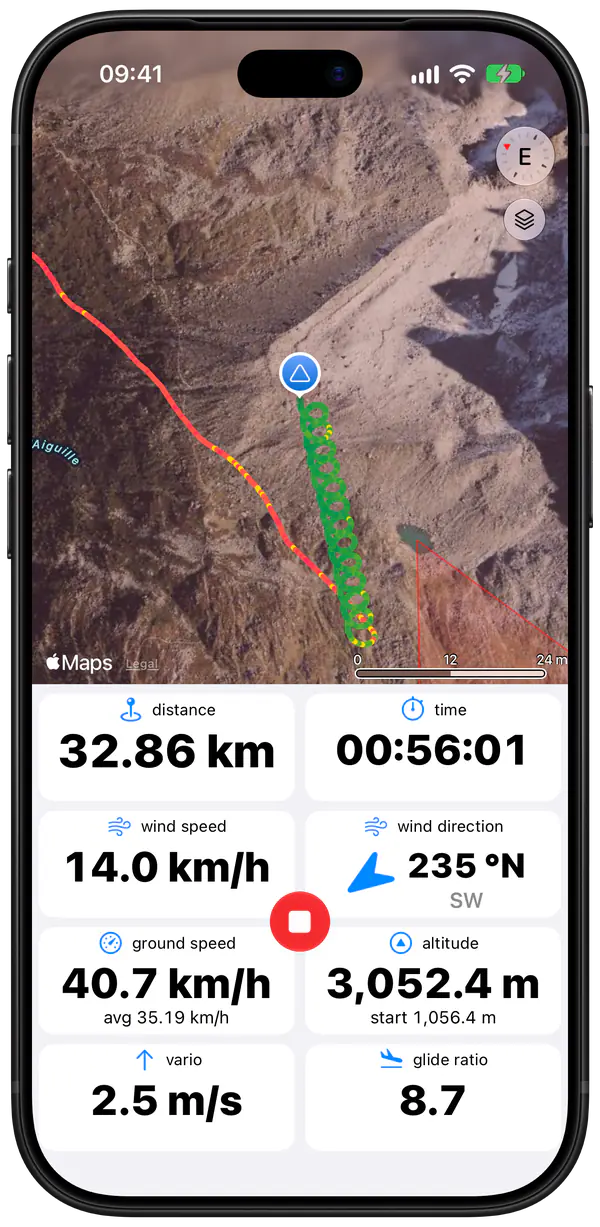
The thermal viewer colours your track on the flight map wherever you climbed. The track turns light green as soon as you go up even slightly, so when you come back around you can see where the thermal was. After landing, the flight's charts show your sink rate over the whole flight, and its statistics the best climb and the height gained. More in the logbook.
Whatever you fly
The same vario works under a paraglider and a hang glider. On a paramotor, engine vibration doesn't disturb it, so you can use it under power and when you throttle back to work a thermal.
Questions
Can I use my iPhone as a vario?
Yes. Every iPhone that runs Wingman has a barometer: any iPhone with iOS 15.4 or later, which means the iPhone 6s or newer. Wingman combines it with the accelerometer to make a vario with sound.
Does the vario work with the phone in my pocket?
Yes. The barometer and the accelerometer work in a pocket or a harness compartment. Only the map needs the screen.
Can I hear the vario in my headset?
Yes. The vario plays wherever the iPhone plays sound, so through Bluetooth headphones or the headset in your helmet too, and it keeps playing when the iPhone is set to silent.
Does Wingman work with my Bluetooth vario?
It works with Stodeus, Syride and XC Tracer devices, and with other varios and GPS units that send LXWP0 or NMEA data over Bluetooth. Pair yours in Preferences > External devices.