
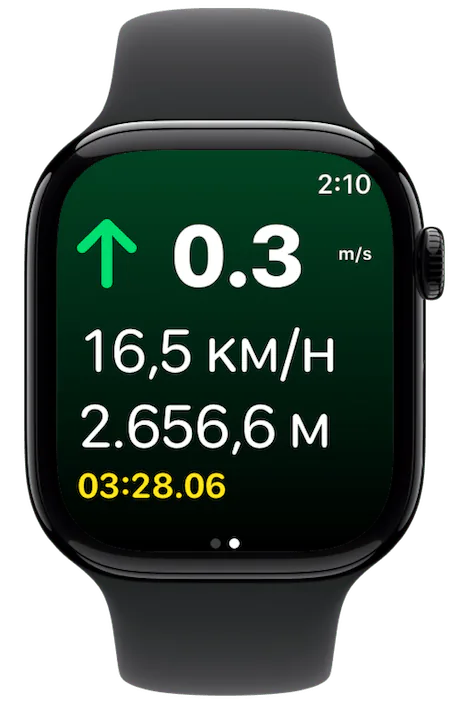
What the Watch app does
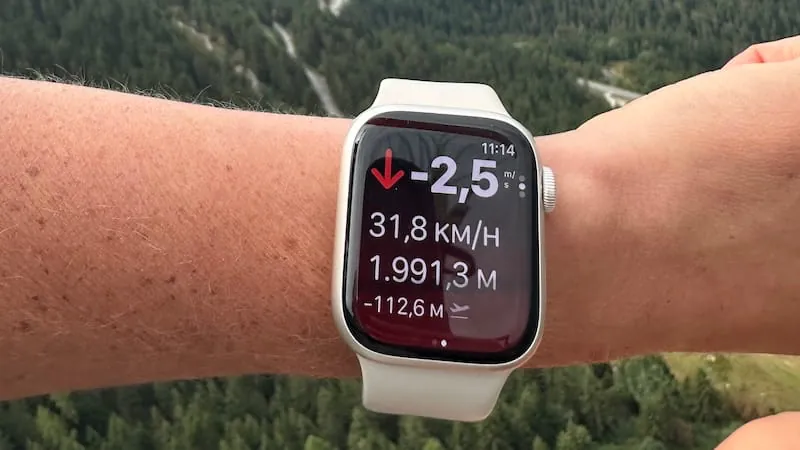
- Vario. Climb and sink rate from the Watch's barometer and accelerometer, with vario tones and haptic feedback on the wrist.
- Automatic recording. Take-off detection starts the recording and landing detection stops it.
- Full flight track. The GPS track, altitude profile and flight statistics are recorded on the Watch itself.
- Instruments on one screen. Vertical speed, ground speed, altitude and flight time.
- Settings from the iPhone. The settings you change in Wingman on the iPhone are synced to the Watch.
- Live tracking. Friends and family can follow you live when the Watch is online, through your iPhone or on its own if it is a cellular model.
What you do on the iPhone
Flights recorded on the Watch sync to the Wingman app on your iPhone or iPad. There you can replay them in 3D and look at the map, statistics and charts. Viewing Watch-recorded flights in detail requires Wingman PRO, the optional subscription, which you can try free for 3 days. The wind estimator is only available on the iPhone and iPad.
When pilots fly with the Watch alone
- Hike-and-fly and vol-biv. The phone stays in the pack while the Watch records and beeps.
- Short flights. An evening soaring session or a sled ride, when mounting the phone is more work than the flight.
- Backup. The Watch keeps recording if the phone or your main instrument fails.
A standalone app, not a second screen
Many Watch apps only mirror the iPhone: the phone does the work and the Watch shows its numbers, so the Watch goes blank or freezes when the Bluetooth connection drops. Wingman on the Watch has its own vario, its own GPS recording and its own take-off detection. The difference is explained in companion vs standalone Apple Watch apps.
I’m a newbie paraglider so I don’t have much to compare it to, but so far so good using the Apple Watch Ultra as my Vario! I’ve compared the sensitivity / accuracy to my mipbip, and wingman on the Apple Watch Ultra seems to be just as good if not more sensitive.
AmeliaChristensen56, App Store review, March 2024
Frequently asked questions
Do I need my iPhone with me to fly with the Watch?
No. Wingman on the Apple Watch records the flight and runs the vario on its own. You need the iPhone or iPad afterwards to look at the flight in detail.
How do Watch flights get to my iPhone?
They sync automatically to the Wingman app on your iPhone or iPad. Replaying a Watch-recorded flight and viewing its map, statistics and charts requires Wingman PRO.
Does the Watch vario make sound?
Yes. It plays vario tones and also gives haptic feedback on the wrist. The vario settings you make in Wingman on the iPhone are synced to the Watch.
Can people follow me live when I only have the Watch?
Yes, as long as the Watch has an internet connection: through your iPhone, or directly if it is a cellular model.
How long does the battery last?
GPS recording is the main drain, so start the day with a full charge. The Apple Watch Ultra lasts about twice as long as the standard models, which is why many pilots use it for long days.